
Comparison
Ember vs. NotionA calm Notion alternative
Notion is a powerful workspace. Ember is a focused task manager, with notes that turn into tasks. They solve different problems.
Notion excels at documentation, wikis, and flexible databases. But when tasks live inside documents, priorities get buried and it becomes hard to answer one simple question: what do I work on next? Ember answers that question every day.
What you get with Ember instead
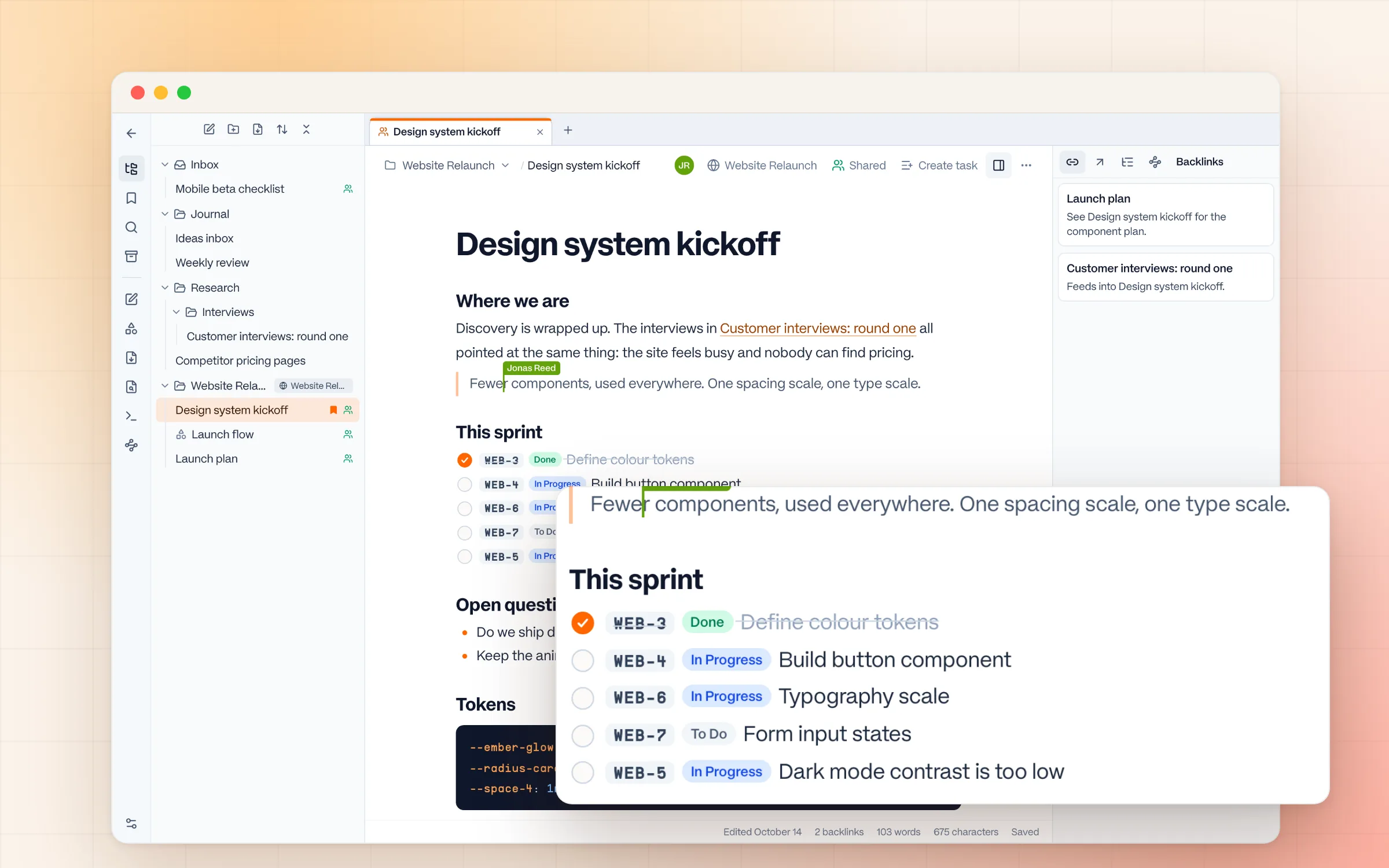
Notes that become tasks
Select any line in a note and make it a task. The line keeps the task's key and live status, and ticking it completes the task.
A ranked Do Next list
Your dashboard sorts open tasks by due date and priority and says why each one is there. No custom views to build.
Folders, links, and backlinks
Organize notes in folders, link them with [[, and see what links back. Enough structure for project notes, without a database to maintain.
Shared on purpose
Notes are yours until you share them, with a person or a whole workspace, to view or to edit. EU-hosted, with no behavioral tracking and no AI trained on your content.
Ember vs. Notion: feature comparison
Last reviewed October 2026. Notion prices are list prices per user per month, billed annually, and can change. Check Notion's pricing page for current figures.
Why people move from Notion to Ember
Tasks kept getting lost in documents
In Notion, a task lives inside a page that lives inside a database that lives inside a section. Finding what to work on today requires navigating the whole system.
Too much time spent organizing, not doing
Notion is endlessly flexible, which means you're always tweaking views, properties, and templates instead of just working.
No clear signal for what matters now
Without a dedicated 'today' concept, Notion tasks blend into a sea of equal-priority items. Ember's Do Next list cuts through that.
Notification noise from comments and mentions
Notion's collaboration features generate a constant stream of pings. Ember has no comment system and no notifications by design.
When Notion is the right choice
Notion is the right choice when you need a team wiki, knowledge base, or documentation system with flexible databases. It's also great for building a large personal knowledge management system.
When Ember is the right choice
Ember is the right choice when you need a dedicated task manager that stays out of your way, with notes close to the work. If you want to jot down an idea, turn it into a task, see what to work on today, and close the app, Ember is built exactly for that.
Ember vs. Notion: frequently asked questions
Is Ember a good Notion alternative for task management?
Yes. If you mainly use Notion to track tasks and keep losing them inside pages and databases, Ember gives you a dedicated task manager with built-in statuses and a ranked Do Next list, with no setup required. Notes live beside your projects, and any line can become a task.
What can Notion do that Ember can't?
Notion is a full workspace for documents, wikis, and flexible databases. Ember has notes, with folders, links between notes, boards for quick diagrams, and live co-editing when you share one, but they exist to support the work. It doesn't replace a company wiki or a database-driven knowledge base.
Can I take notes in Ember like I do in Notion?
Yes. Ember has a notes space with folders, tabs, a / menu for headings, checklists, tables, images, code, and diagrams, and [[links]] between notes. Paste from Notion and the formatting comes along. Notes are yours until you share them, and any line can become a task that shows its live status.
Is Ember cheaper than Notion?
Ember is free for up to 2 collaborators and €5/seat/month after that, with flat per-seat pricing. Notion's paid plans run roughly $10–$24/user/month, and full Notion AI now sits in the Business tier.
Does Ember send notifications like Notion?
No. Ember has no comments, mentions, or notifications by design. Collaboration is pull-based, so you check in when you choose to instead of being interrupted.
Keep exploring
Try the alternative
Ready to work without the noise?
Ember is free to start. No configuration required. Just open it and get to work.
No notifications • No setup • Cancel anytime