For freelancers
Project management for freelancers
Ember is calm, privacy-first project management built for one-person businesses. Keep every client organized, focus on what's due, and run your work without notifications, tracking, or bloat, free for solo use.
- Free for solo use
- Built in the EU, no tracking
- macOS, Windows, Linux, and web
Sound familiar?
Built for one-person businesses
Five clients, five tools, five logins.
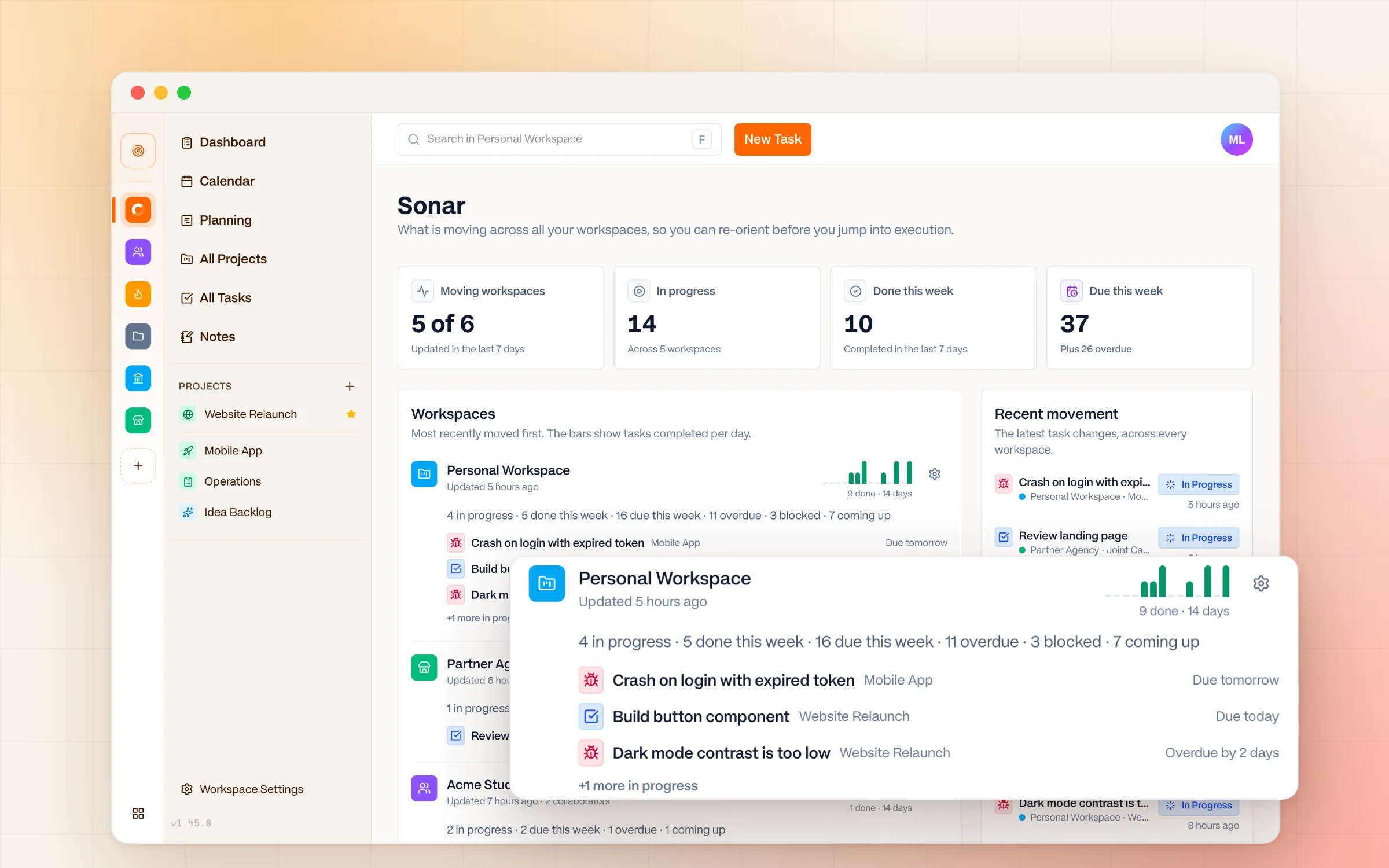
A workspace per client, and Sonar to see all of them at once.
Finding out about a deadline the day it's due.
Do Next puts overdue and due-today work at the top, with the reason why.
Paying per seat while you work alone.
Free for solo use. A flat €5/seat only when you bring people in.
Keep every client moving
One calm place for client work, so nothing slips while you're heads-down on billable hours.
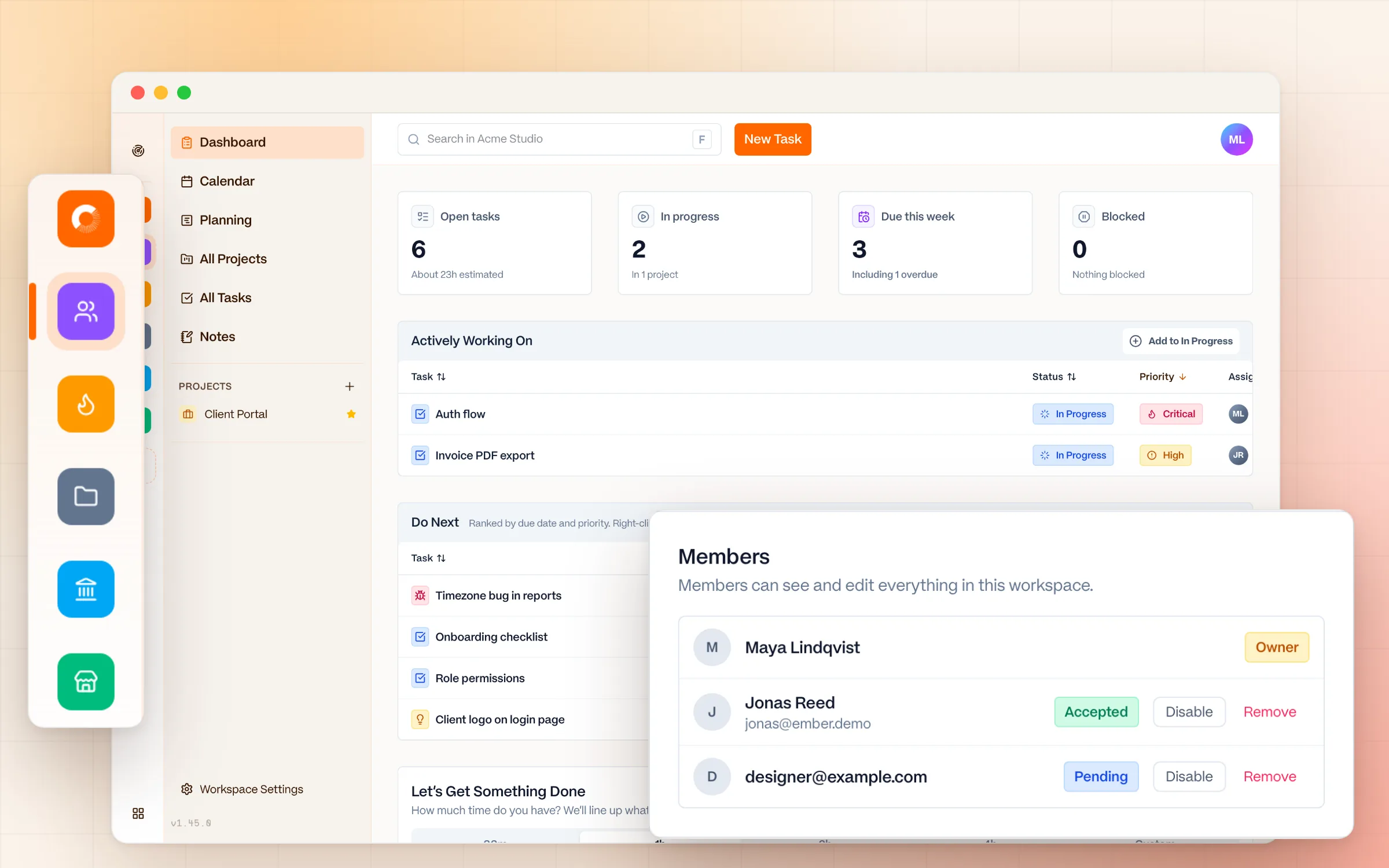
Every client in its own workspace
Each client gets a dedicated workspace with their projects and tasks kept cleanly separate. No mixing deliverables in one giant board.
One calm overview with Sonar
Sonar shows every workspace in one view, ordered by recent movement, with what's in progress and how work is trending.
Know what's due, without the noise
The Do Next list and the calendar keep your week clear. Recurring tasks handle invoices, reports, and other routines.
Pricing that fits freelance income
Free forever for solo use, with unlimited projects and tasks. A flat €5/seat/month only when you bring in more than two collaborators.
Workspaces
Clients stay separate. You see them all.
Switch between client workspaces in one click. Invite a client or subcontractor as a Member, and they see that workspace and nothing else.
Dashboard
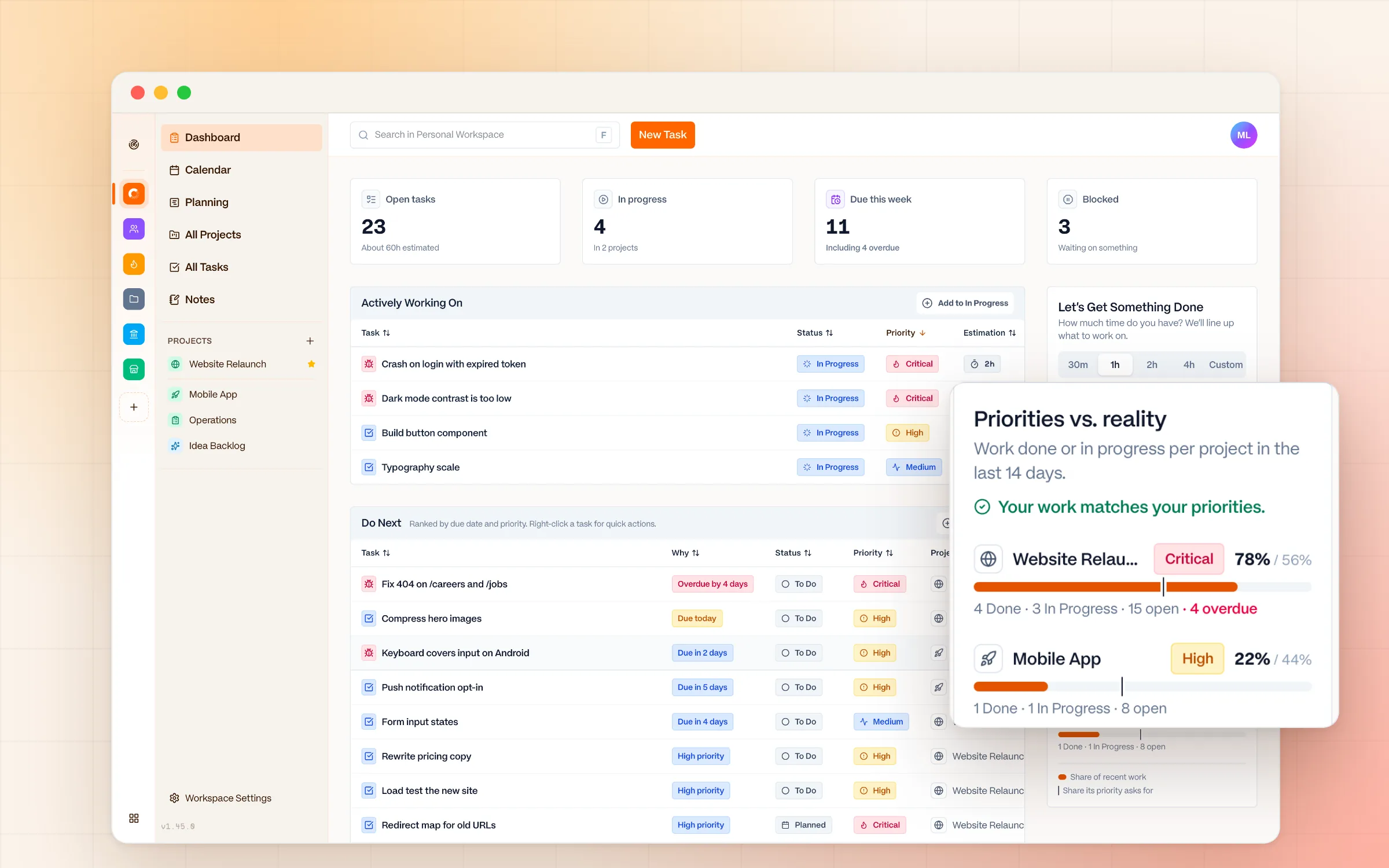
Start the day with what's due
Do Next ranks tasks across your projects by due date and priority. Priorities vs. reality shows if one client is quietly taking over your week.
Your client data stays private
When you handle other people's work, privacy isn't optional. Ember is built in the European Union and GDPR-compliant by design.
- No behavioral analytics or session recording
- No ads, and no selling or sharing your data
- No AI trained on your content
- Export everything, any time
Coming from another tool?


Ember for other kinds of work
Or see every Ember feature and pricing.
Freelancer questions, answered
Is Ember free for freelancers?
Yes. Ember is free forever for solo use, with unlimited projects, unlimited tasks, and 2 collaborator seats included. You only pay (a flat €5/seat/month) when you need to invite more than two people, such as a subcontractor or a client.
Can I manage multiple clients in Ember?
Yes. Each client gets its own workspace with separate projects and tasks, and Sonar gives you a single calm overview across all of them — so you always know where every client stands without juggling tabs.
Does Ember work on Mac, Windows, and Linux?
Yes. Ember has native desktop apps for macOS, Windows, and Linux, plus a web app. It opens instantly and works the same everywhere.
Is my client data private in Ember?
Yes. Ember is built in the EU and GDPR-compliant by design. There's no behavioral tracking, no ads, no selling of data, and no AI trained on your content. Your client work stays yours.
How is Ember different from Notion or Asana for freelancers?
Ember is a focused task manager, not an all-in-one workspace or a team-coordination platform. There are no notifications to mute, nothing to configure, and no per-seat costs while you work solo — just a calm place to plan and finish client work.
Run your freelance work calmly.
Free for solo use. No configuration required. Open it and get to work.